Types of Network Topology
Network Topology is the schematic description of a network arrangement, connecting various nodes(sender and receiver) through lines of connection. It is the arrangement of the elements of a communication network. Network topology is the topological structure of a network and may be depicted physically or logically.
BUS Topology
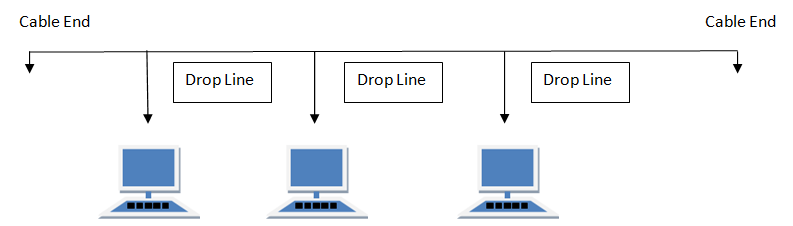
Bus topology is a network type in which every computer and network device is connected to single cable. When it has exactly two endpoints, then it is called Linear Bus topology.
RING Topology
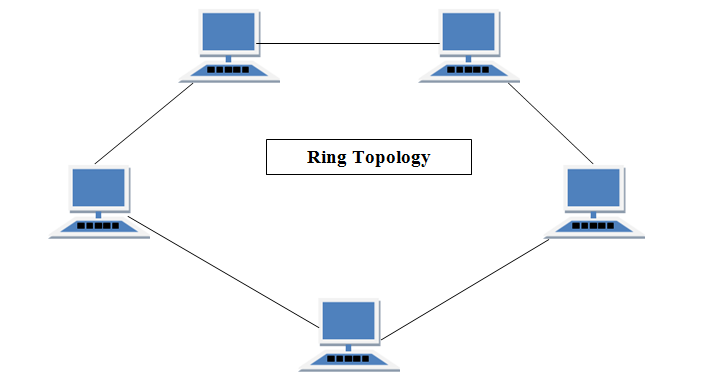
It is called ring topology because it forms a ring as each computer is connected to another computer, with the last one connected to the first. Exactly two neighbors for each device.
STAR Topology
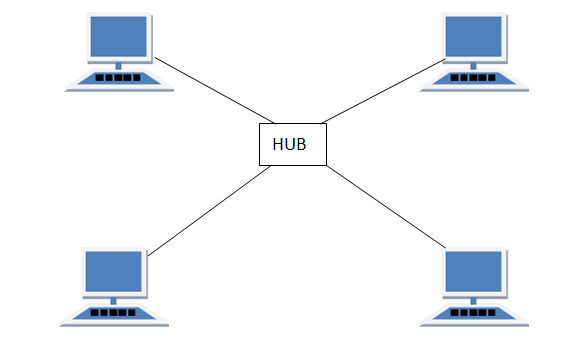
In this type of topology all the computers are connected to a single hub through a cable. This hub is the central node and all others nodes are connected to the central node.
MESH Topology
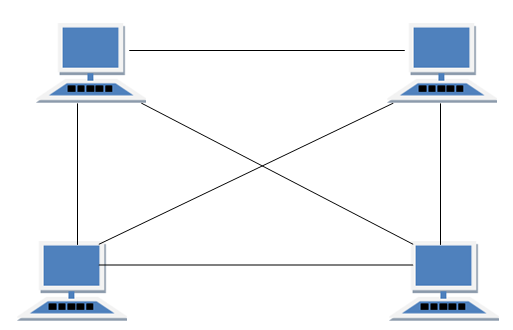
It is a point-to-point connection to other nodes or devices. Mesh networks dynamically self-organize and self-configure, which can reduce installation overhead. The ability to self-configure enables dynamic distribution of workloads, particularly in the event that a few nodes should fail. This in turn contributes to fault-tolerance and reduced maintenance costs.
HYBRID Topology
It is two different types of topologies which is a mixture of two or more topologies. For example if in an office in one department ring topology is used and in another star topology is used, connecting these topologies will result in Hybrid Topology (ring topology and star topology).
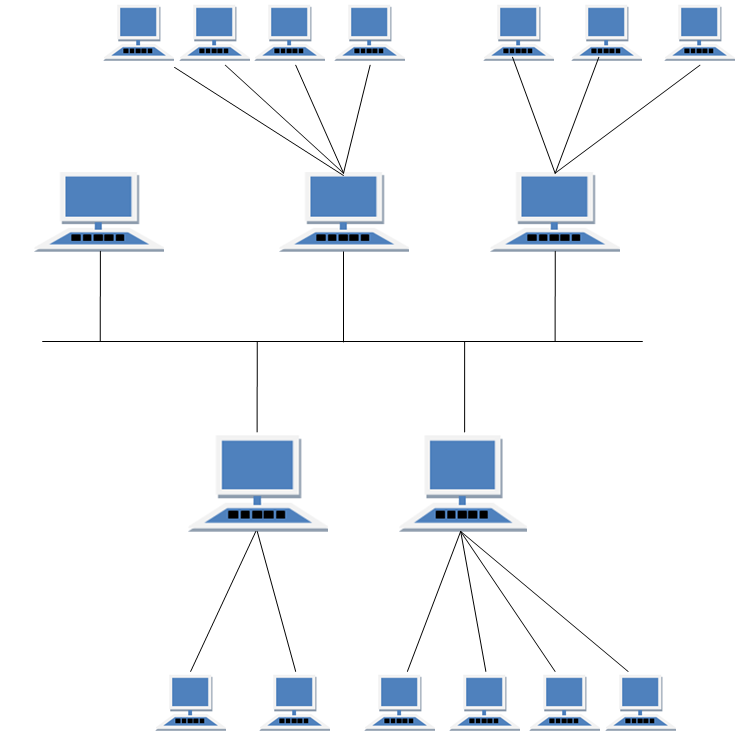
Source: https://www.studytonight.com/computer-networks/network-topology-types


No comments:
Post a Comment